
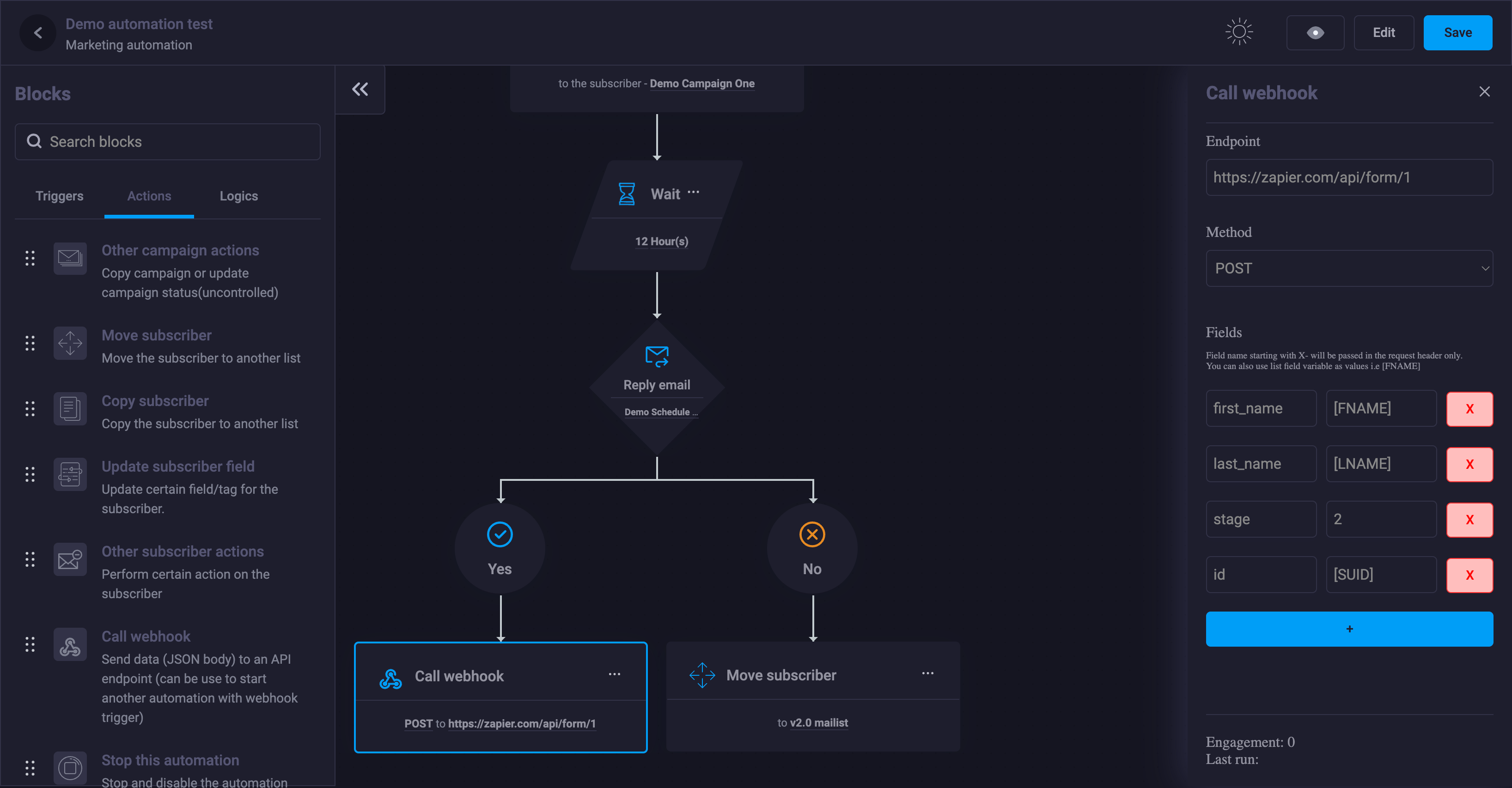
Automation Flow Builder for ClickSuccess
Easily create powerful automation flows for your ClickSuccess campaigns and improve the effectiveness of your email marketing strategy with our automation flow builder.
This add-on extends automation-building capabilities for applications running on ClickSuccess!
Optimize your email marketing efforts with the Automation Flow Builder for ClickSuccess. Our powerful automation flow builder simplifies the process of creating and managing automated email campaigns, helping you save time and boost efficiency.
With a user-friendly interface and a wide range of customization options, you can create automated flows tailored to your specific needs and goals. Whether you’re an experienced email marketer or just getting started, the Automation Flow Builder makes it easy to automate your email campaigns and achieve the results you want.
So why wait? Start optimizing your email marketing strategy today with the Automation Flow Builder for ClickSuccess.


Features
Drag-and-drop builder: An intuitive drag-and-drop interface makes it easy to create automation flows with minimal technical skills required.
Customizable triggers: Set triggers based on subscriber actions such as subscribing, unsubscribing, opening a specific email, clicking a URL, or replying to a specific email to automatically activate your automation flows.
30+ blocks: With over 30 draggable blocks, you can build virtually any automation flow you need. The builder includes more than 11 triggers along with multiple actions and logic options.
Content personalization: The ability to personalize emails for each ClickSuccess subscriber using dynamic content—such as their name or location—to improve engagement and further optimize conversion rates.
Insightful reporting: Track the performance of your automation flows in real time and make informed decisions to optimize your email marketing strategy.
Integrations: Integrate with other tools and API platforms such as CRM or eCommerce platforms to extend the functionality of your automation flows through a comprehensive Webhook block.
Easy to use: Comes with an easy-to-use canvas interface that gives you full control over your automation flows.
Block validation: Client-side and server-side validation of automations before saving to ensure workflows run correctly once triggered.
Lightweight, fast, and smart: With intelligent history tracking, the module ensures minimal system resource usage. Fast processing with no duplication.



 English
 Vietnamese