
For Year
Flexible one-time annual payment.
- Active for 1 Year
- Download limit
- Lifetime license
Lifetime
Lifetime payment.
- Unlimited Download
- Lifetime license
- Active for Lifetime
Customer Area Menu Items for MailWizz Take Full Control of Your MailWizz Customer Menu
Drag & Drop • Hide Items • Add Custom Links • Control Visibility by Customer Group • No Coding Required
The default MailWizz customer sidebar is functional—but it’s also rigid.
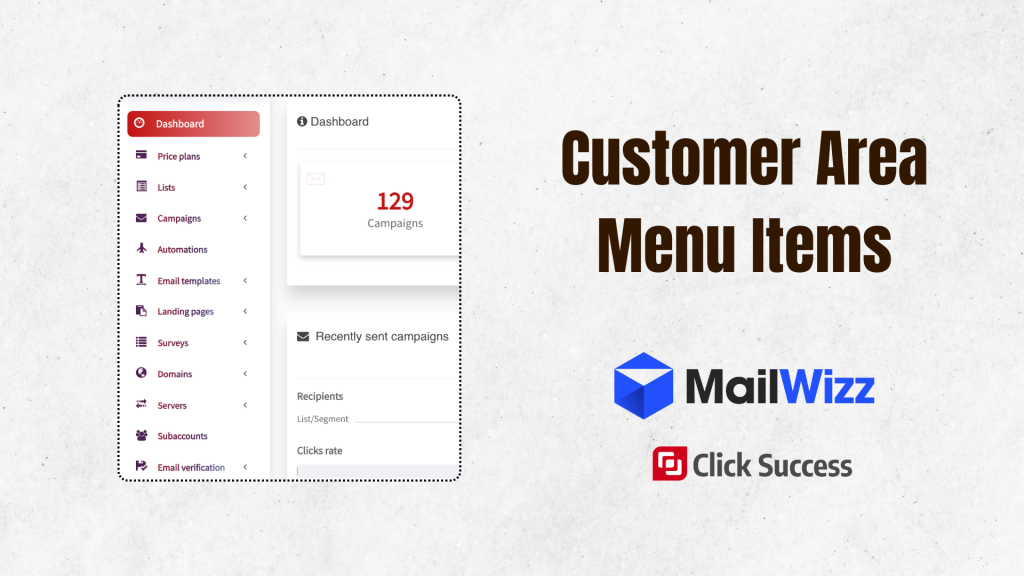
By default, menu items appear in a fixed order:
- Dashboard
- Lists
- Campaigns
- Templates
- Servers
- Settings
You can’t easily reorder them.
You can’t hide features your customers never use.
You can’t add links to your CRM, Help Center, Documentation, or Upgrade page.
Even worse, when other MailWizz extensions add their own menu items, they appear wherever they want, giving you no control over your customer experience.
Customer Area Menu Items gives you complete control over the MailWizz customer navigation from a simple visual interface.
No coding.
No template editing.
No developer required.
With just a few clicks you can:
- Reorder any menu item with drag & drop
- Rename menu labels
- Hide unwanted features
- Change menu icons
- Add unlimited custom links
- Create dropdown submenus
- Restrict menu items by customer group
Everything is managed from one settings page and applied instantly.
Why Menu Control Matters
Your navigation menu is one of the most important parts of your customer experience.
A well-organized sidebar helps customers find what they need faster while reducing confusion and support requests.
Better Customer Onboarding
New users don’t need to see every MailWizz feature.
A simplified menu with only the essentials creates a much smoother onboarding experience.
Promote Your Most Important Features
Place the features you want customers to use most at the top of the sidebar.
Don’t let your best functionality get buried beneath features customers rarely touch.
Increase Revenue
Every custom menu item is an opportunity.
Add quick links to:
- Upgrade Plan
- Premium Templates
- Affiliate Program
- Request a Demo
- Hire an Expert
- Documentation
- Help Center
Your sidebar becomes part of your sales funnel.
Personalized Customer Experience
Show different menu items to different customer groups.
For example:
- Trial users see a simple interface.
- Premium users unlock advanced tools.
- Enterprise customers receive exclusive options.
Perfect for White-Label SaaS
Replace the standard MailWizz navigation with your own branded experience.
Your customers interact with your platform—not MailWizz.
Features
Drag & Drop Menu Reordering
Take complete control over the order of every sidebar item.
The extension automatically lists:
- Default MailWizz menu items
- Menu items from other extensions
- Your own custom links
Simply drag any row into a new position and click Save.
The new menu order becomes instantly available for every customer.
No JSON.
No configuration files.
No technical knowledge required.
Show or Hide Any Menu Item
Every menu item includes a simple visibility toggle.
Disable any item and it immediately disappears from the customer sidebar.
Nothing is deleted.
Your settings remain saved, allowing you to enable the item again whenever needed.
Common examples include hiding:
- Surveys
- Landing Pages
- Articles
- Domains
- Subaccounts
- Sending Servers
Only show the features your customers actually use.
Unlimited Custom Links
Add as many custom menu items as you need.
Link to virtually anything, including:
- CRM systems
- Help Desk
- Documentation
- Blog
- Facebook Community
- Billing Portal
- Affiliate Dashboard
- External Applications
Each custom link supports:
- Custom Label
- Font Awesome or Glyphicon Icon
- Absolute or Relative URL
- Open in Same Tab
- Open in New Tab
- Visibility Toggle
Create Dropdown Menus
Every custom menu item can become a dropdown menu.
Example:
Resources
- Documentation
- Video Tutorials
- API Documentation
- Changelog
- Community Forum
Sub-links are entered in a simple format:
Label | URLOne item per line.
No complicated configuration required.
Rename Labels and Change Icons
Customize the appearance of any menu item.
Examples:
- Dashboard → My Dashboard
- Price Plans → Upgrade Now 🔥
- Lists → Email Lists
Replace any default icon with your preferred Font Awesome or Glyphicon icon.
This also works with menu items created by other MailWizz extensions.
You control the entire sidebar.
Customer Group Visibility
Display menu items only to selected customer groups.
Examples:
- API Keys visible only for Developers
- Premium Reports available only for VIP customers
- Dedicated IP menu visible only for Enterprise accounts
Leave the group selection empty if you want everyone to see the menu item.
The extension integrates directly with MailWizz’s native Customer Group system.
No additional setup is required.
Automatic Menu Discovery
No need to search for menu keys or edit configuration files.
The extension automatically detects every menu item that appears inside the customer area.
That includes:
- Default MailWizz menus
- Third-party extensions
- Future extensions you install later
Whenever a new extension adds a sidebar item, it automatically appears inside your management screen.
Everything is discovered automatically.
Zero Core Modifications
Your MailWizz installation remains completely untouched.
The extension works using MailWizz’s official hook system.
It attaches to:
customer_left_navigation_menu_items
at priority 9999, ensuring it runs after every other extension.
Benefits include:
- No core file modifications
- No template overrides
- No monkey patching
- Clean installation
- Clean removal
Disable the extension and the original MailWizz menu is restored instantly.
Smart License Protection
License verification happens quietly in the background.
If your license becomes invalid:
- The original MailWizz menu is restored automatically.
- No broken pages.
- No PHP errors.
- No customer interruption.
Your saved settings—including menu order, hidden items, custom links, labels and icons—remain safely stored.
Once the license is reactivated, everything immediately returns.
You must log in and be a buyer of this download to submit a review.
You may also like

Verify Sending Domain Amazon SES for MailWizz
Boost Revenue with Affiliate Extension for MailWizz, Integrated Campaign Tracking, IP Fraud Protection, Detailed Reports — Download Now

Affiliate Manager Extension for MailWizz
Boost Revenue with Affiliate Extension for MailWizz, Integrated Campaign Tracking, IP Fraud Protection, Detailed Reports — Download Now
 English
 Vietnamese